Including buildings
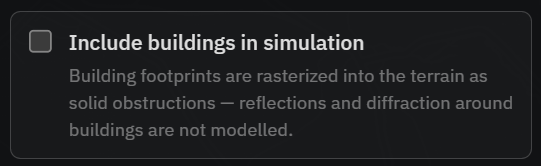
In built-up areas, structures block signal as much as terrain does. Tick Include buildings in simulation in the Coverage section to fold building footprints into the model.
What it does
Building footprints are rasterised into the terrain as solid obstructions. They block line of sight and cast radio shadows just like raised ground.
The footprint data comes from the OpenFreeMap planet vector tiles, which are derived from OpenStreetMap and available under the ODbL.
Building heights come from the national mapping agencies in Switzerland and France, and from OpenStreetMap everywhere else. In Switzerland, swisstopo provides a measured height for every building. In France, IGN’s BD TOPO® provides one for almost every building, for runs with a range of up to about 7 km. Larger runs in France fall back to OpenStreetMap, where a height is either tagged by a mapper or estimated. Buildings from the national data always take priority, and OpenStreetMap fills in the rest, so there is no gap at the border.
Trees
Forest blocks the view as well. Tick Include trees in simulation and OpenStreetMap forest polygons are raised to the canopy height you set, so wooded ground becomes an opaque obstacle. This works in line-of-sight mode only. RF runs still ignore vegetation.
How much forest is mapped depends on the region. The data is good in Europe, Canada and Australia; patchy in the US outside national and state forests; poor in much of the Global South. Ticking the box also draws the forest layer on the map, so you can see what is mapped in your area before you read the result.
What is not modelled?
Reflections and diffraction around buildings are not simulated, and no signal is attenuated by foliage. Trees only ever block the line of sight, and only when you switch them on. Because real signal bounces and bends around structures, the app notes that “coverage may be overestimated in vegetation and urban areas.” Treat dense-urban results as a conservative line-of-sight picture rather than a full multipath model.
Cost
Buildings add a download and assembly step, plus more compute, so runs are slower. Enable them when you are focused on a town or city, and leave them off for open terrain. See Performance for tips.
Frequently asked questions
Does Waveshed include buildings?
Yes, optionally. Tick “Include buildings in simulation” in the Coverage section and Waveshed folds building footprints into the model as solid obstructions. They are off by default, so switch them on when you focus on a town or city, and leave them off for open terrain.
How are building footprints used in a simulation?
Building footprints are rasterised into the terrain as solid obstructions. They block line of sight and cast radio shadows exactly like raised ground would. A building therefore acts as an opaque block, not as a surface that reflects or bends the signal around itself.
Where do building heights come from?
From the national mapping agencies in Switzerland and France, and from OpenStreetMap everywhere else. In Switzerland, swisstopo provides a measured height for every building. In France, IGN’s BD TOPO® provides one for almost every building, for runs with a range of up to about 7 km. Larger runs in France fall back to OpenStreetMap, where a height is either tagged by a mapper or estimated.
Are trees and foliage modelled?
Optionally, in line-of-sight mode. Tick “Include trees in simulation” and OpenStreetMap forest polygons become opaque obstacles of the canopy height you choose, so a wooded ridge blocks the view. RF coverage runs still ignore vegetation, and nothing is attenuated by foliage. How much forest is mapped varies by region: good in Europe, Canada and Australia, patchy in the US outside national and state forests, poor in much of the Global South.
Why aren’t reflections modelled?
Reflections and diffraction around buildings are not simulated, and neither is vegetation. Real signal bounces off and bends around structures, so the app notes that coverage may be overestimated in vegetation and urban areas. Treat dense-urban results as a conservative line-of-sight picture, not a full multipath model.